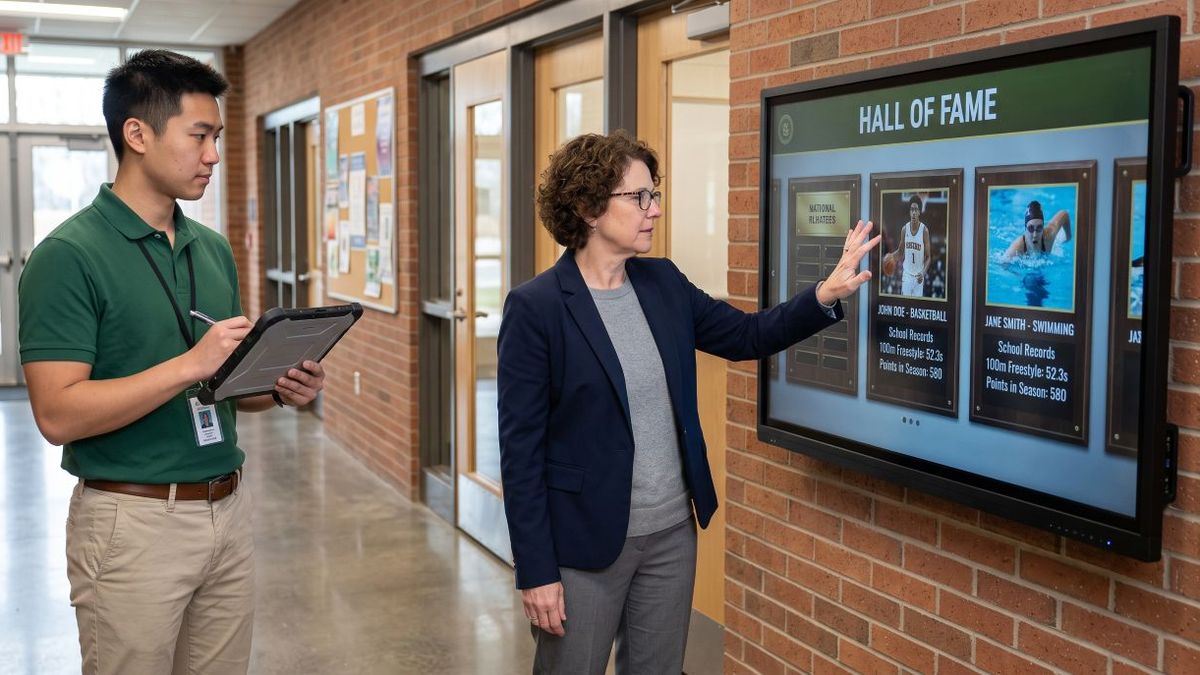
A digital touchscreen record board is far more than a standard display hung on a wall. It functions as a networked computer, an interactive software platform, an architectural fixture, and a piece of accessible public infrastructure. When organizations treat interactive record boards like simple pieces of furniture, issues inevitably follow: hardware warranties lapse without notice, network ports get reallocated, or digital content management systems become inaccessible when an administrator leaves.
Establishing a comprehensive IT asset inventory policy for your interactive record board eliminates these operational risks. A formal policy standardizes the data your team tracks, establishes accountability, schedules periodic maintenance audits, and outlines clear procedures for hardware relocations, troubleshooting, and retirement.
Why an Inventory Policy Is Essential for Interactive Displays
Standard IT workflows routinely track administrative laptops and presentation equipment, but public-facing touch displays often slip through the cracks. Because interactive record boards are typically installed in high-traffic entryways, athletic concourses, or main lobbies, they require dedicated oversight across both technology and facilities teams.
Without a structured inventory policy, organizations regularly encounter avoidable setbacks:
- Warranty claims get rejected due to misplaced serial numbers or missing purchase dates.
- Network outages occur due to undocumented static IP assignments or port reconfigurations.
- Administrative control is lost when content logins are tied to departed staff members.
- Accessibility and building compliance records are missing during facility reviews.
- Outdated display hardware operates on legacy firmware with unpatched security flaws.
A written policy provides a centralized, authoritative source of truth that ensures anyone on your administrative, athletic, or IT team can quickly inspect, maintain, and update the display.
Defining Scope and Assigning Team Responsibilities
Before logging data points, determine which systems fall under this policy and establish who manages the records.
Scope of Coverage
This policy applies to permanently mounted, network-connected interactive touchscreens, digital trophy cases, record boards, and multi-screen hall of fame displays. It excludes standalone, non-interactive lobby televisions running basic slideshows unless they utilize the same centralized record board content management software.
Core Stakeholder Roles
- Technology Coordinator: Manages device serial numbers, network security, operating system patches, and platform software subscriptions. This role holds primary ownership of the master asset register.
- Facilities Lead: Documents physical mounting types, wall structure, electrical circuit IDs, and physical clearances.
- Activities and Program Director: Oversees record board media, featured recognition categories, seasonal content schedules, and administrative account permissions.
- Business or Purchasing Office: Maintains purchase documentation, capital expenditure records, maintenance agreements, and hardware warranty contracts.
- Executive Leadership: Grants final administrative sign-off on hardware investments and recurring software agreements.
Essential Inventory Tracking Categories
To maintain full visibility, your master asset register should systematically organize information into the following practical areas.
Core Identification and Purchase Details
Establishing unique identity records ensures clean communication during technical support requests or accounting audits:
- Internal Asset Tag: A unique barcode or alphanumeric tag applied directly to the display enclosure.
- Hardware Manufacturer and Model: The precise commercial model number found on the device label rather than a general marketing name.
- Serial Number: The official manufacturer serial number located on the rear chassis or accessible within the system settings.
- Display Specifications: Diagonal screen size, panel resolution, glass finish, and touch-sensor type (such as commercial infrared or capacitive touch).
- Purchase Date and Order Number: The verified delivery date and the internal financial documentation reference.
- Hardware Vendor: The supplier or integration partner that delivered the physical system.
- Total Acquisition Cost: The complete initial cost, factoring in commercial brackets, dedicated cabling, and structural mounting.
Location and Physical Installation
Because digital record boards are public architectural fixtures, precise physical documentation is critical for maintenance and compliance:
- Facility and Zone: The specific building, wing, entrance, or hallway housing the display.
- Mounting Configuration: Documentation indicating whether the unit is flush wall-mounted, recessed, articulating, or integrated into a standalone kiosk enclosure.
- Mounting Height: The distance from the finished floor surface to the bottom bezel and interactive display controls.
- Accessibility Compliance: Documentation confirming the display satisfies public reach standards (typically keeping operable controls within standard 15-to-48-inch reach ranges and maintaining appropriate clear floor space for wheelchair access).
- Electrical Infrastructure: The dedicated electrical circuit breaker panel and outlet identifier powering the display.
- Data Cabling and Terminations: The specific wall jack ID, patch panel port, switch port location, and approximate cable run length.
- Installation Contractor and Date: The service team responsible for the structural install and the date the system was formally accepted.
Warranties and Software Licensing
Keeping track of renewal terms protects your program from sudden software cutoffs or unexpected repair bills:
- Hardware Warranty Parameters: Coverage expiration dates, terms (parts-only versus on-site technician service), and vendor contact details.
- Software Platform Details: The exact version of your interactive record board software and whether it is supported via an ongoing cloud subscription or a perpetual license.
- Subscription Renewal Milestones: The contract renewal deadline and renewal notification windows.
- Licensed Screen Quantities: The number of active display endpoints permitted under your software tier.
- Vendor Account Manager Contact: Direct customer support phone numbers, help desk portals, and account manager email addresses.
Set automated calendar alerts at 90 days and 30 days prior to any warranty or software expiration. A blank or frozen screen during a community event or major game visibly detracts from the accomplishments being celebrated.
Network Architecture and Device Security
An interactive record board communicates with cloud databases to deliver up-to-date athlete profiles, dynamic record books, and donor highlights. It requires deliberate IT network controls:
- IP Assignment: Documentation of a reserved static IP address or DHCP reservation to avoid lease conflicts.
- Hardware MAC Address: The network interface identifier needed for port security and switch management.
- VLAN Allocation: Placement of public-facing displays onto an isolated guest or media VLAN, separated from sensitive administrative networks.
- Network Hostname: A consistent, easily identifiable device name across local network management consoles.
- Remote Management Tools: The secure agent, remote desktop utility, or mobile device management platform used by technicians to reboot or update the kiosk off-site.
- Firmware and Operating System: The current operating system release, build number, and local display firmware version.
- Security Patch Schedule: The date of the most recent security patch and the policy governing future system updates.
Content Management System Account Governance
Losing administrative access to your digital showcase halts content updates, preventing new inductees, team rosters, or championship records from being featured:
- Administrative Portal Web Address: The direct web URL used to manage record board profiles, media galleries, and layouts.
- Role-Based Primary Login: An administrative account assigned to a departmental distribution email (such as a shared department address) rather than an individual staff member's personal inbox.
- Secondary IT Administrative Account: An auxiliary administrative account held by the technology department to prevent lockouts.
- Data Backup Schedule: The frequency with which multimedia assets, team statistics, and historical records are archived to external cloud storage.
- Integration Keys: Any associated API connections, data feeds, or social media integration tokens tied to your digital board.
Ongoing Inspection and Maintenance Logging
Public touch displays encounter continuous daily use. A routine maintenance log tracks wear, preserves warranty standing, and justifies future hardware cycles:
- Audit Date and Inspector: The date of review and the technician conducting the inspection.
- Physical Condition: An assessment of the outer protective glass, enclosure seams, ventilation ports, and structural wall brackets.
- Touch Sensor Calibration: Functional testing across all display sectors to ensure responsive, accurate navigation without dead zones.
- Cleanliness and Sanitation: Inspection of screen clarity, smudge removal, and verification that cleaning staff use non-abrasive, display-safe solutions.
- Reported Defects and Corrective Actions: Any logged anomalies, component replacements, or resolved support tickets.
Perform visual and tactile inspections at least once per academic or calendar term, as well as immediately following any building renovations near the display.
Retirement and End-of-Life Planning
Interactive commercial displays typically operate reliably for five to eight years before hardware components require modernization:
- Anticipated End-of-Life Date: The planned replacement date based on manufacturer lifecycle guidelines.
- Data Sanitization Procedures: A defined protocol for wiping local cached databases, clearing browser credentials, and removing content management authentication tokens prior to removing the hardware.
- Responsible E-Waste Disposal: Documentation tracking the certified recycling or trade-in of retired displays, complete with certificates of disposal.
Governance Rules and Update Triggers
An inventory register is only valuable if it reflects reality. Require immediate updates whenever the following milestone events occur:
Hardware Relocation: Record the new physical wall, room coordinates, electrical outlet, and network jack immediately.
Component Repair or Swap: Update the register with new serial numbers, model details, or firmware versions before closing the service ticket.
Software Renewals: Log new subscription periods, feature tiers, and payment receipts as soon as contracts are finalized.
Personnel Transitions: Immediately rotate shared administrative passwords and verify access permissions when staff transitions occur.
Annual Physical Audit: Conduct a comprehensive, hands-on audit once per year to confirm that all physical tags, network ports, and hardware conditions match the register.
Frequently Asked Questions
Who should hold final ownership of the interactive record board inventory?
The IT coordinator or technology director should own the master document, while activities directors and facilities leads hold editing permissions to update content schedules, physical details, and maintenance notes.
How does an interactive record board differ from a standard desktop in an inventory register?
A digital record board integrates commercial-grade display panels, interactive touch hardware, specialized cloud-based showcase software, and fixed structural mounts. Traditional computer inventories lack fields for ADA reach compliance, wall bracket ratings, and public-facing content governance.
Can an interactive display run safely on the primary staff network?
Public-facing touchscreen displays should ideally reside on an isolated VLAN with restricted access to administrative systems. This configuration allows the screen to pull necessary cloud media updates while protecting critical internal infrastructure.
How many administrative logins should be maintained for the content system?
Maintain at least two: a primary account tied to a departmental email address, and a secondary backup account managed by your technology department. Using role-based addresses ensures continuity during departmental turnover.
Action Plan: Begin Your Inventory Today
To bring immediate structure to your digital recognition display management, follow these steps:
Locate the physical display and record the serial number from the chassis label or system configuration screen.
Retrieve the original purchase order to verify purchase dates, vendor contacts, and active warranty terms.
Confirm that the content management platform is registered under a departmental, role-based email account.
Document the network connection type, IP address, and physical network port.
Schedule a semi-annual inspection to calibrate touch sensors and verify physical mount security.
Taking control of these core elements ensures your interactive record board remains a vibrant, secure, and permanent centerpiece for celebrating institutional excellence.