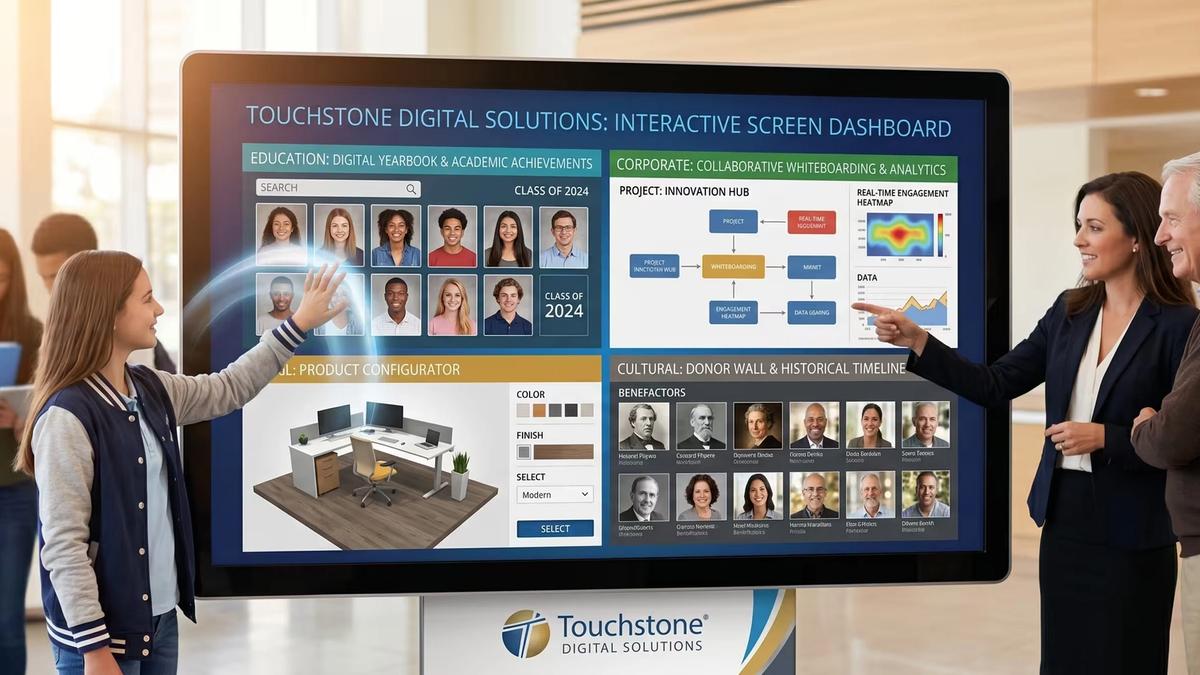
Interactive screen software is revolutionizing how organizations connect with their audiences through touch-enabled displays, gesture controls, and real-time content management. Whether you're looking to boost classroom engagement, create compelling retail experiences, or streamline corporate communications, these platforms offer powerful no-code solutions for creating dynamic digital experiences.
Quick Overview: Interactive Screen Software Essentials
- What it is: Software that powers touch-sensitive displays with drag-and-drop content creation
- Key types: Progressive Web Apps, specialist platforms, web-based signage, and native applications
- Core features: Multi-touch support, real-time analytics, offline capabilities, and API integrations
- Top use cases: Education (92% engagement boost), retail kiosks, corporate lobbies, and event displays
- Hardware needs: Works on tablets, large touchscreens, video walls, and standard PCs with touch displays
Research shows that 87% of educators report interactive screen software helps students connect to learning material, while businesses see dramatic improvements in customer engagement and lead capture through touchscreen experiences.
As a spokesperson of Touchstone Digital Solutions, I've helped organizations nationwide implement interactive screen software solutions that drive real results - from boosting donor engagement by 25% to achieving $3M+ ARR through strategic digital recognition displays.
Key terms for interactive screen software:
- Educational content management
- Custom recognition displays
- School media platforms
What Is Interactive Screen Software and How Does It Work?
Interactive screen software transforms ordinary screens into dynamic, responsive experiences that feel as natural as using your smartphone. When you tap a museum exhibit and detailed information slides into view, or when students touch answers on a classroom display and get immediate feedback, you're experiencing this technology in action.
The technology works through several integrated systems. Touch input processing detects everything from single finger taps to complex multi-touch gestures. Gesture control systems can recognize hand movements without physical contact. Cloud CMS capabilities let you update content remotely, while real-time rendering ensures smooth, responsive interactions.
What makes this particularly powerful is multi-user capability - these systems can track dozens of touch points simultaneously, enabling collaborative experiences where entire teams can work together on the same display.
Core Workflow of Interactive Screen Software
Modern interactive screen software uses hardware-agnostic design, meaning the same content works on iPads, massive lobby displays, or anything in between. The content composer uses visual, drag-and-drop editors that feel familiar if you've used PowerPoint or Canva.
Player deployment handles technical compatibility automatically. You design once on your desktop, then deploy everywhere without worrying about technical issues. This separation between creating and displaying content makes the technology accessible to non-technical users.
Interactive Screen Software in Plain English
Interactive screen software is the brain that makes touchscreens smart. It eliminates frustrating lag between touch and response, following the "touch-to-action" principle to make digital interactions feel natural.
The technology captures data feedback about how people use your displays - which content gets attention, where people spend time, and how they steer information. These insights help you continuously improve the user experience.
Main Types of Interactive Screen Software
Interactive screen software breaks down into four main categories, each serving different needs and technical comfort levels:
- Progressive Web Apps: Best for quick deployment and offline capability. Cross-platform, no app store needed, but has limited hardware access.
- Specialist Platforms: Best for complex interactions and analytics. Features no-code editors and rich features, but comes with a higher cost and learning curve.
- Web-Based Signage: Best for simple displays and remote management. Offers easy updates and template libraries, but has limited interactivity.
- Native Apps: Best for performance-critical applications. Provides full hardware access and smooth performance, but requires platform-specific development.
Progressive Web Apps for Touch Experiences
Progressive Web Apps (PWAs) offer the "build once, run everywhere" approach. These web-based applications behave like native apps with offline cache capabilities through smart browser-engine storage.
PWAs excel in deployment simplicity - develop once, then run on Android tablets, Windows kiosks, iPads, and everything between. The offline cache keeps experiences running during connectivity issues, perfect for trade shows or remote locations.
Specialist Platforms: Power Without Code
Specialist platforms eliminate coding barriers while delivering professional capabilities through drag-and-drop editors and comprehensive analytics modules. These handle the complete journey from content creation to deployment and ongoing management.
The analytics modules capture detailed user behavior - how users steer, where they linger, and which interactions lead to desired outcomes. Many platforms support advanced features like object recognition for truly intuitive interactions.
Web-Based Digital Signage & CMS Solutions
Web-based signage platforms excel at remote-updates, scheduling flexibility, and extensive template-library options. Content teams can update displays across multiple locations from a single dashboard, perfect for corporate communications and basic wayfinding applications.
Key Features That Drive Engagement
Modern interactive screen software includes sophisticated features that transform ordinary touchscreen experiences into engaging, collaborative environments.
Multi-user capability enables multiple people to interact simultaneously. Students can work together on math problems, or visitors can explore different company information sections at once, turning screens into social experiences.
Object recognition technology responds when users place physical items on the screen surface. Retail customers might place product samples and immediately see videos, specifications, and related items - making navigation intuitive and natural.
Multimedia support handles high-definition video, 3D models, 360-degree content, and augmented reality elements automatically, optimizing for different screen sizes. Headless CMS integration separates content management from design, letting marketing teams update content without IT involvement.
API integrations connect displays to existing CRM platforms, inventory databases, and analytics tools, creating dynamic, data-driven experiences. Accessibility features ensure everyone can use interactive experiences, including users with visual, hearing, or mobility challenges.
Analytics & Data Collection Inside Interactive Screen Software
Advanced analytics reveal detailed heatmaps showing exactly where users touch most frequently. Dwell time analysis shows which content holds attention, while user flow mapping tracks navigation paths through interactive experiences.
KPI dashboards translate interaction data into meaningful metrics. Educational institutions track learning engagement rates, retail locations measure browsing-to-purchase intent, and corporate environments assess communication effectiveness.
Privacy compliance includes GDPR-ready data handling with configurable privacy controls. Contextual data collection captures not just what users do, but when and why, enabling personalization and optimization.
Working Offline & in Low-Bandwidth Environments
Quality interactive screen software includes robust local-caching for reliable operation during connectivity issues. Kiosk-mode locks interfaces professionally while sync-later capabilities queue analytics and updates for when connections return.
Offline capabilities extend to content management, with platforms pre-downloading scheduled changes during off-peak hours. This reliability proves essential for trade shows, outdoor installations, and remote locations where network conditions vary.
Real-World Use Cases and Industry Highlights
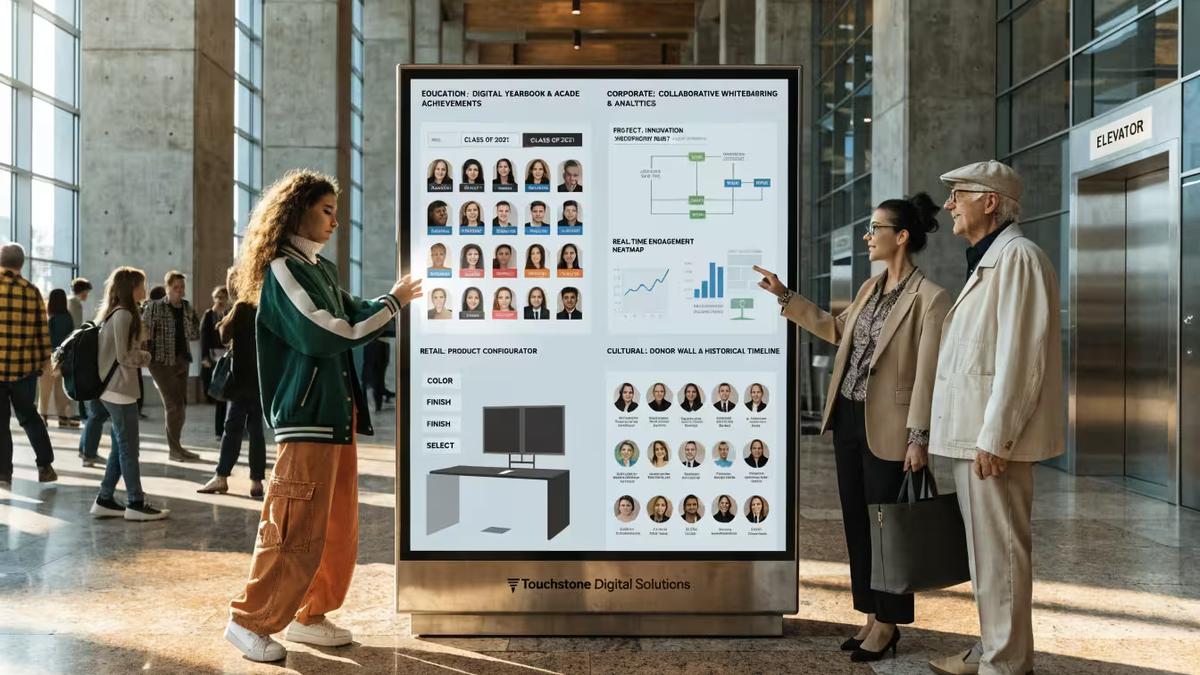
Interactive screen software transforms everyday spaces into engaging environments across education, retail, corporate, and cultural settings.
In classrooms, students collaborate naturally around interactive displays, working together on problems and exploring content hands-on. Digital yearbooks and recognition displays celebrate achievements while building school community pride.
Retail environments create memorable shopping experiences through interactive product catalogs and configurators. The "endless aisle" effect lets customers browse entire inventories regardless of physical space limitations.
Corporate lobbies use displays for wayfinding and collaborative decision-making, while museums create adaptive storytelling experiences that adjust to each visitor's needs and interests.
How Interactive Screen Software Lifts Education
Research shows 92% of educators report improved student engagement with interactive displays, while 87% say it helps students connect more deeply with learning material.
Active learning becomes natural when students can touch, manipulate, and collaborate directly with content. Formative assessment capabilities provide immediate feedback, letting instructors adjust approaches mid-lesson based on real-time comprehension data.
The technology supports different learning styles naturally - visual, audio, and hands-on interaction ensure every student can access material effectively.
Driving Sales & Brand Storytelling in Retail
Interactive product catalogs let customers explore features at their own pace, while configurators provide immediate visual feedback. The endless aisle concept extends inventory virtually, increasing sales opportunities while reducing physical display space needs.
Lead capture through interactive experiences proves more effective than traditional methods. Customers willingly share information for personalized recommendations or entertaining experiences like style quizzes.
Collaboration & Decision Making in Business Settings
Digital whiteboarding enables simultaneous team contributions whether participants are local or remote. Video conferencing integration transforms displays into communication hubs where distributed teams collaborate naturally.
Secure content sharing maintains enterprise security while enabling effective collaboration. Interactive data visualization makes complex datasets more understandable through direct touch manipulation.
Choosing & Implementing the Right Interactive Screen Software
Selecting the right interactive screen software requires matching platform capabilities to your specific needs, budget, and technical comfort level rather than choosing based on impressive feature lists.
Start with a clear requirements checklist covering content types, simultaneous users, and management needs. Consider whether you need simple content updates or complex multi-user interactions, and whether you're managing one screen or planning expansion.
Budget planning extends beyond initial software costs to include hardware compatibility, implementation time, training, and ongoing content creation. Licensing models vary from monthly subscriptions offering flexibility to annual licenses with upfront discounts.
Hardware compatibility deserves special attention - choose platforms that work across different devices rather than locking you into specific systems.
Hidden Costs & Common Pitfalls
Per-device licensing can multiply costs quickly - that $50 monthly platform becomes $500 for ten displays. Look for site licenses or concurrent user models that scale reasonably.
Content creation resources get underestimated constantly. Budget for either internal design resources or external content development help. Hardware refresh cycles affect long-term costs, so choose solutions that work across diverse hardware.
Neglected accessibility creates legal and usability problems. Security gaps can expose sensitive data. Training and support often get shortchanged but prove crucial for success.
Quick-Start Implementation Roadmap
- Week 1-2: Workshop - Define success metrics, identify users, and create realistic budgets including hidden costs.
- Week 3-5: Platform Selection - Evaluate platforms with actual content and use cases through proof-of-concept prototypes.
- Week 6-9: Content Development - Create initial content, configure analytics, and test with real target users.
- Week 10-12: Rollout - Deploy to production, train users, and monitor performance closely for optimization opportunities.
This phased approach prevents costly do-overs while building stakeholder confidence through early course-correction opportunities.
Frequently Asked Questions about Interactive Screen Software
What hardware do I need to run interactive screen software?
Most interactive screen software platforms work with hardware you might already have. At minimum, you need a touch-enabled screen connected to a device running the software - from Windows tablets to iPads to computers driving large displays. Key considerations include touch capability, processing power, display size and resolution, and connectivity for cloud features.
Can it integrate with my existing CRM or analytics stack?
Modern interactive screen software is built for integration through API connections that let displays pull real-time data from CRM systems, inventory databases, and business applications. Popular integrations include CRM systems like Salesforce, analytics platforms like Google Analytics, content management systems, and business intelligence tools.
How hard is it to update content once it's live?
Updating content should be as easy as updating a website. Most platforms offer web-based content management where authorized team members can log in from any computer to make changes without being near the display. Text and image updates work through simple form-based editing, and remote deployment pushes updates automatically.
Conclusion
Interactive screen software has reached the perfect balance of powerful capabilities and user-friendly design. With 92% of educators reporting better student engagement and businesses seeing dramatic improvements in lead capture, we're witnessing the future of digital communication.
The technology brings people together around shared experiences - students collaborating on classroom displays, families exploring digital yearbooks, or donors connecting with recognition walls. These platforms create moments that matter.
At Touchstone Digital Solutions, we've watched this change across hundreds of schools and organizations. The most successful implementations start with clear goals, choose platforms matching actual needs, and focus relentlessly on user experience.
The data-driven insights these platforms provide have been game-changers for our clients. Instead of guessing what resonates, they see exactly how people interact with content. This feedback enables continuous improvement and justifies technology investments with concrete ROI metrics.
Looking ahead, interactive screen software will become even more intelligent and personalized. The foundations being built today - accessible content creation, robust analytics, and seamless integrations - will support increasingly sophisticated experiences that adapt to individual users and contexts.
Organizations embracing these technologies now aren't just improving current communications. They're building digital engagement capabilities needed as audience expectations evolve toward more interactive, responsive, and personalized experiences.
Whether your goal is boosting classroom engagement, creating memorable donor recognition displays, or changing corporate communications, the tools exist today to make it happen. The key is taking that first step with confidence, knowing modern platforms grow with your needs and deliver results from day one.
The future of engagement is interactive, and it's already here.